
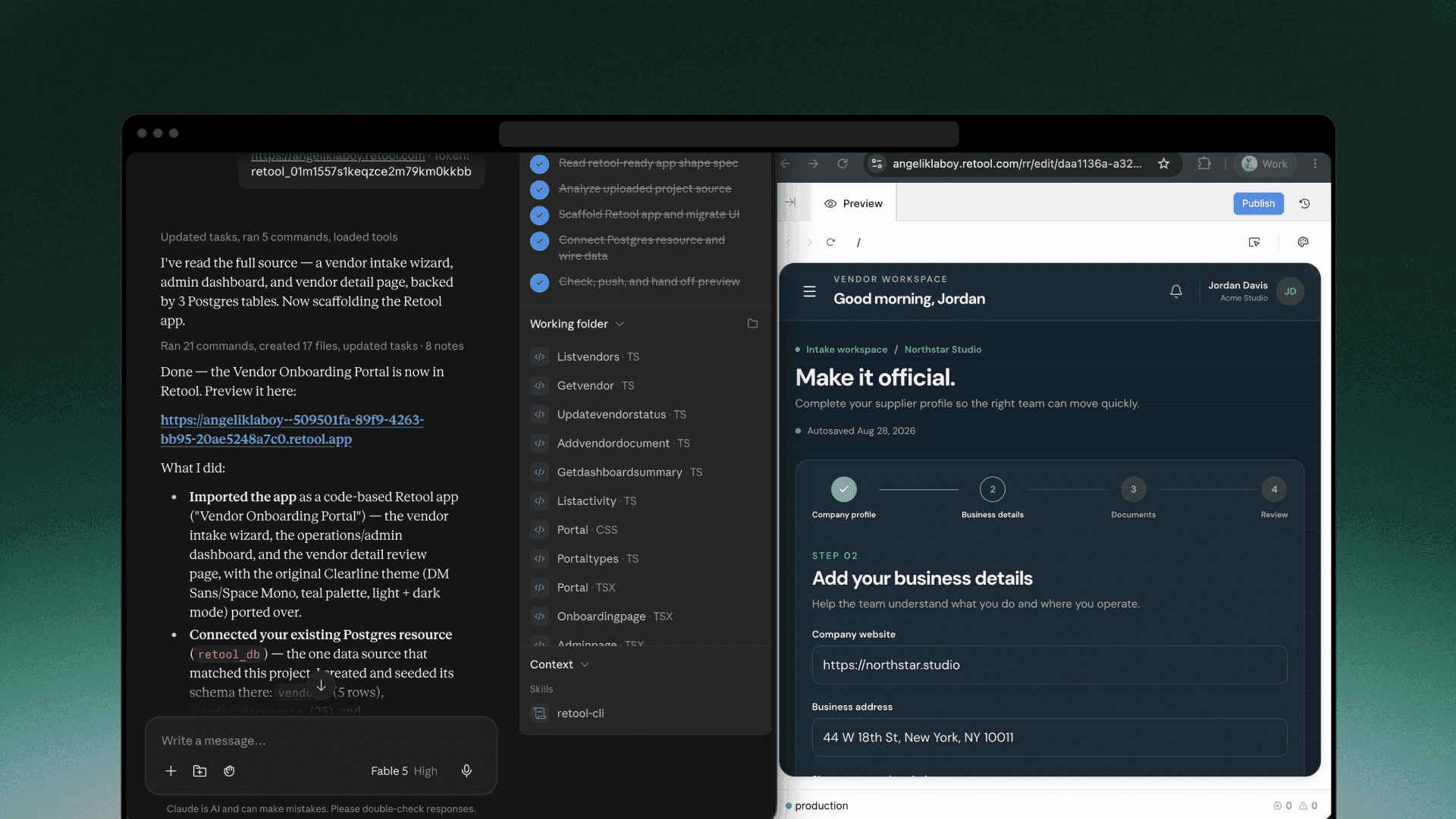
If you’ve been using our MCP server, you’re familiar with the benefits of working in Retool from Claude, Codex, and other agents. Now, with our new command line interface (CLI), you can build Retool apps locally using bash commands or natural language prompting.
New CLI capabilities
The new Retool CLI allows users to write and validate React apps directly on their machines while Retool handles governance, permissions, and resource access checks. Retool’s agent and sandbox is only invoked for previewing or publishing. This structure allows for faster building—writing code locally avoids an agent-to-agent loop and is more familiar for developers who are used to working directly with their repository.
These benefits have been evident from the start of our private beta. Stackdrop (opens in a new tab), a firm that builds custom internal apps for operations and engineering teams, found retool check to be particularly useful while building apps for a new client. This one command validates the project before it’s deployed and it works in seconds, local and offline. The validator caught two subtle placeholder-ordering bugs in code they’d written, where the SQL read perfectly and would have written the wrong values into the wrong columns. These are the type of bugs you otherwise meet in production much later, and no amount of code review was going to find them.
Mahmoud, Stackdrop’s CTO, summarized his experience, “Building a Retool app this way keeps us in our preferred software development workflow. We haven’t opened the app editor once for any of these builds.”
You can also use Retool’s CLI to securely deploy apps built with vibe-coded platforms like Lovable, Cursor, and Replit. Watch Angelik, our developer advocate, export a Replit app and deploy it in Retool using Claude.
How does the CLI compare to our MCP server?
Generally, you can differentiate between when to use MCP or CLI with the following shorthand: building is platform dependent, admin tasks require MCP, and querying resources can be done with both.
For a detailed look at the differences between our MCP server and CLI, read our post on when to use MCP vs. CLI.
Get started with the Retool CLI
The Retool CLI requires the use of a terminal, so the agentic coding tool you choose must meet this requirement. Supported options include Claude Code and Claude from Anthropic, or Codex and ChatGPT Work from OpenAI.
Retool’s new CLI is currently available in public beta for cloud customers on team, business, and enterprise plans. Self-hosted customers will have access in upcoming edge and stable releases. Read the docs to get started →